Collected Data Settings
Collected Data refers to the data gathered from all custom actions added within the agent chain when those actions are triggered.
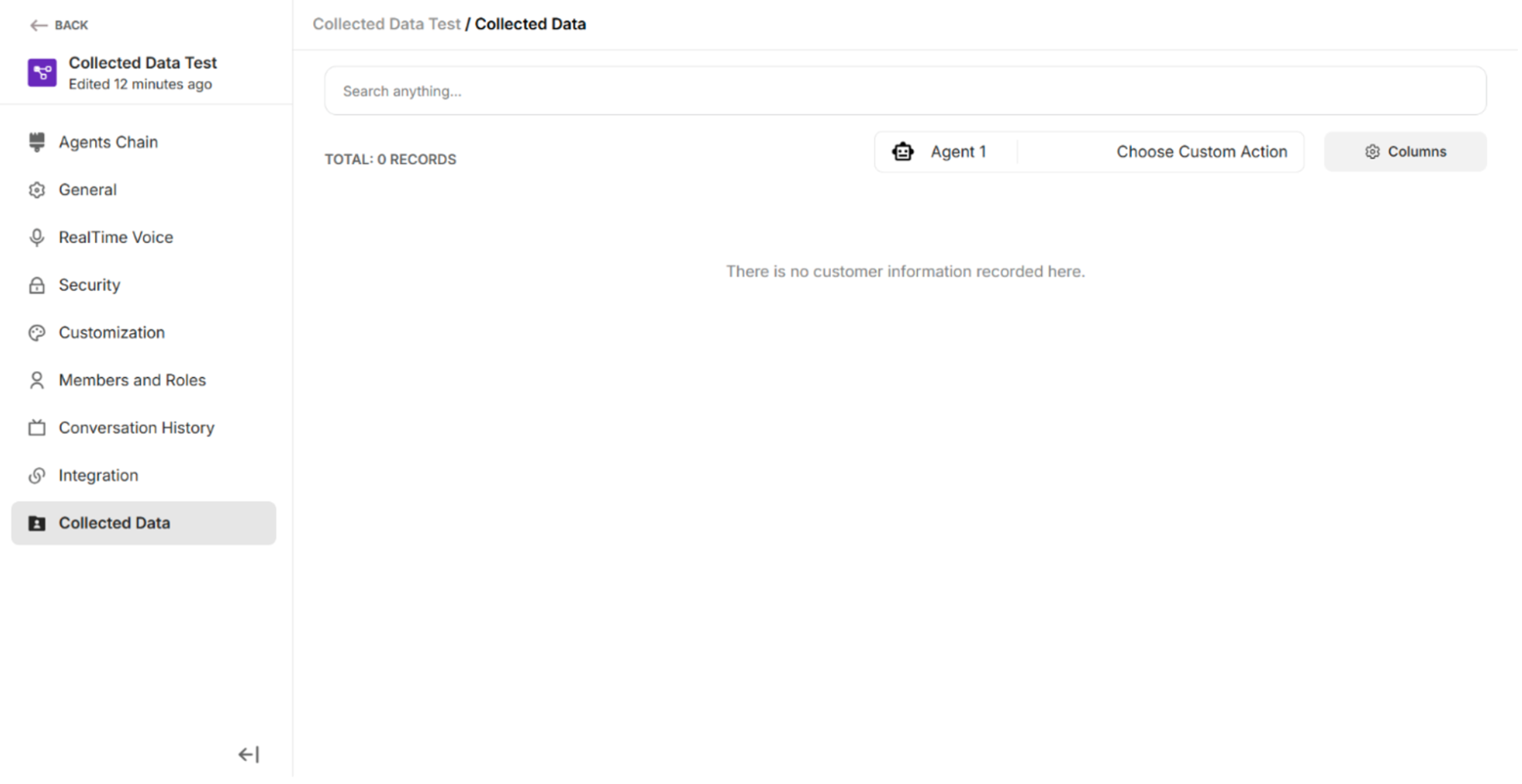 Figure: Default Collected Data Interface
| Function/Fields/Buttons | Description |
|---|---|
| Search Function | To search the collected information |
| Agent Node | To select the appropriate Agent Node to fetch the collected data from different custom actions |
| Custom Actions | To choose the custom actions whose collected data you want to view |
| Cancel | To close the Select Sources dialog without applying any changes or updating the collected data view. |
| Update View | To apply the selected options to refresh and display the collected data. |
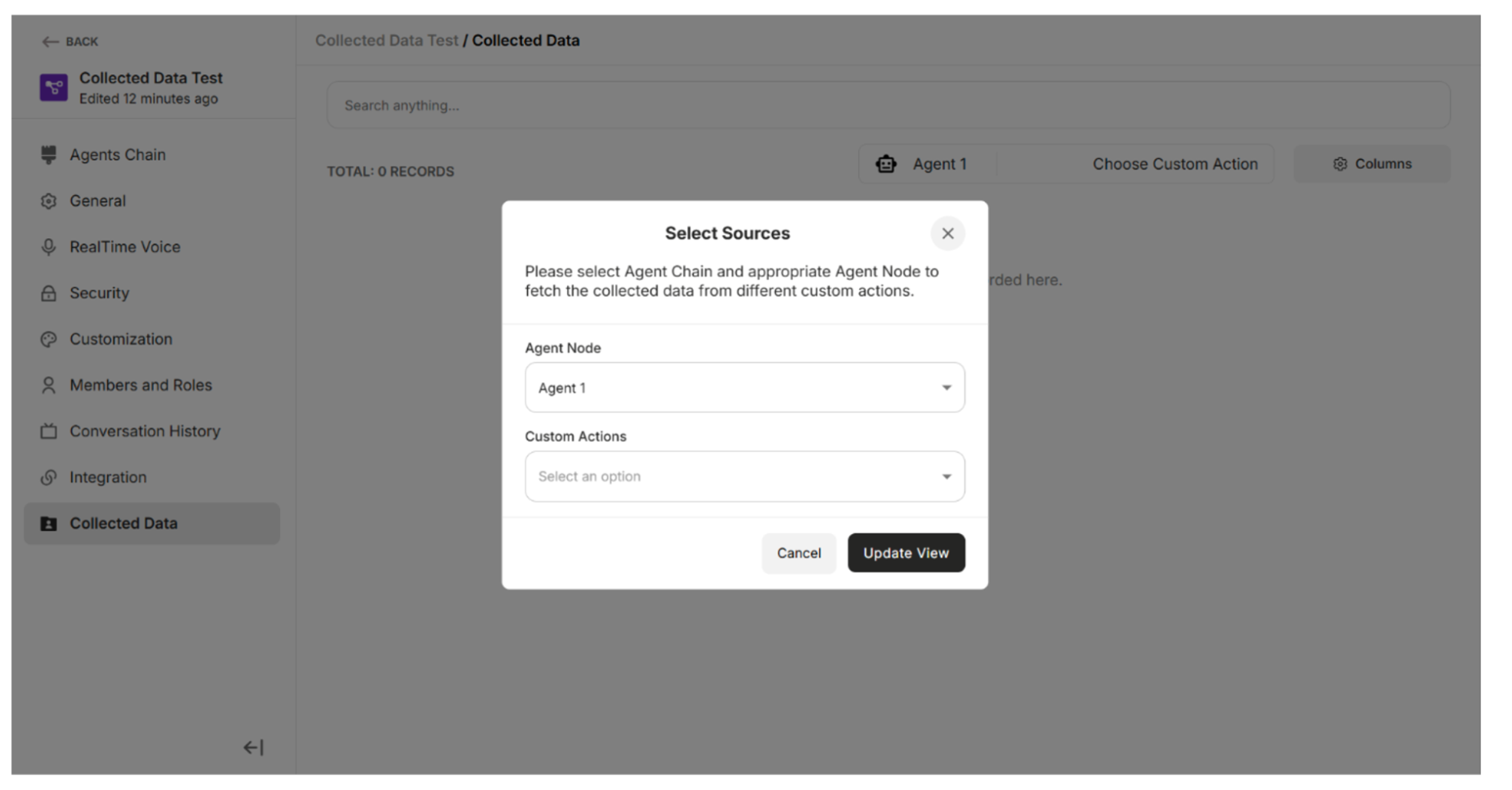 Figure: Select Sources Pop-up
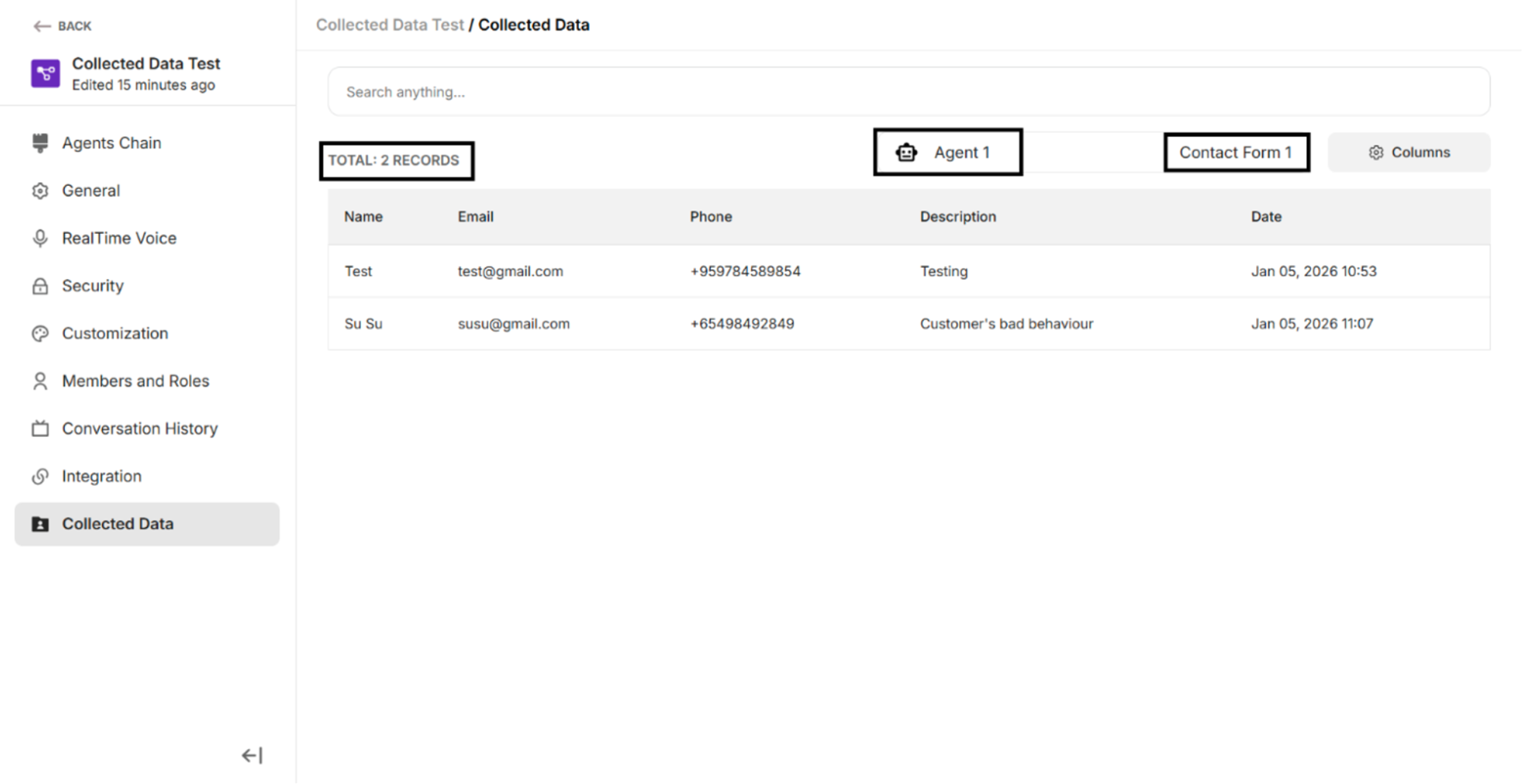 Figure: Collected Data for the selected Agent Node and custom action